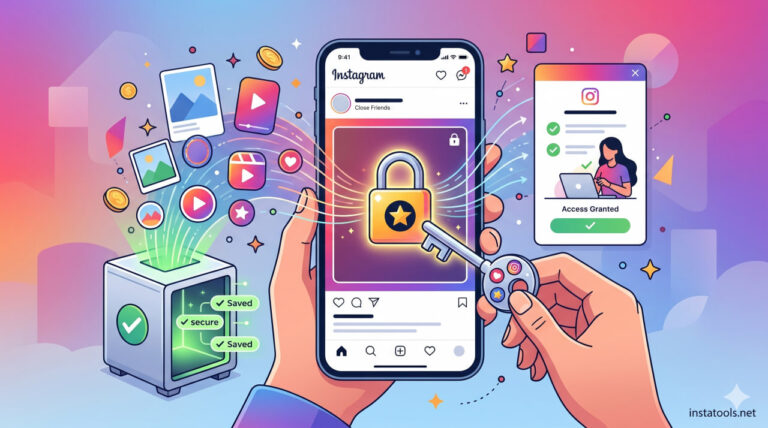

Can you screenshot private Instagram photos in 2026?
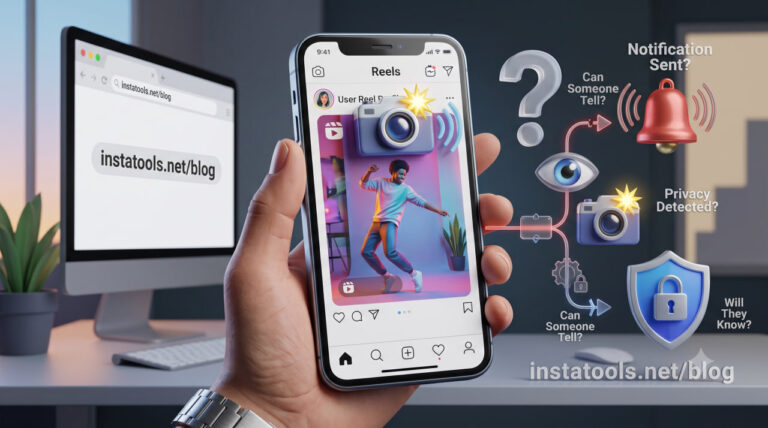
You’re scrolling through Instagram and suddenly pause. Can you actually screenshot private Instagram photos, and if you do, will the other person know?
It’s one of the most searched (and secretly wondered) questions on the platform. Maybe you spotted something interesting on a private profile and hesitated before pressing the buttons.
Does Instagram quietly track that action? Will a notification instantly reveal what you did? Or is everything happening only on your device, completely invisible to the account owner? Before you test it yourself, let’s uncover what really happens behind the screen.
READ MORE: Screenshots are the easiest way to save content, but some users are looking for more direct ways. If you also want to know what the best tools are to download from a private Instagram account? Don’t miss the article “What Are the Best Instagram Private Downloader?”
Can You Technically Screenshot Private Accounts?
Yes. If you are approved to follow a private account, you can view its posts and screenshot private Instagram photos directly from your device.
An Instagram private account screenshot works exactly like any other screenshot on your phone. The capture process is handled by your device’s operating system (iOS or Android), not by Instagram’s internal system. Because of this, Instagram does not technically block the action.
As long as the content is visible on your screen, meaning you have legitimate access as a follower, you are able to:
- Take a screenshot on Instagram
- screenshot Instagram post without them knowing
- download Instagram photo without them knowing
There are no platform-level Instagram screenshot rules that prevent users from capturing content that is already displayed to them. If you can see it, you can capture it. This section is purely about technical capability. Now, let’s move to the real concern most users have: notifications.
READ MORE: But if your question is not just about taking screenshots and you want to know if it is possible to save files directly, we suggest reading our complete guide on “Can I download from a private Instagram account?” to learn more about the difference between screenshots and direct downloads.
Does Instagram Notify When You Screenshot Content?
Many users are curious: if you screenshot private Instagram photos, does the other person get notified? The answer depends on the type of content, and it’s important to understand the rules clearly.
1. Regular Posts, Profiles, and Reels
As of 2026, Instagram does not send an Instagram screenshot notification for regular feed content. This includes:
- Feed posts (photos or videos)
- Reels
- Profile pages
- Highlights
- Standard stories
There is no Instagram screenshot alert or hidden report for these actions. You can take a screenshot of an Instagram profile or save an Instagram picture without the account owner knowing.
Even if the account is private, a private account screenshot functions just like any other screenshot on your device.
There is no delayed notification, analytics tab, or background log showing who captured the content. In other words, in normal areas of the app, can someone see if you screenshot their Instagram? The answer is no.
2. Instagram Stories
Stories often cause the most confusion. You can screenshot an Instagram story without them knowing, including Close Friends stories. Instagram does not send alerts for standard stories.
However, Instagram story view privacy still applies; while the screenshot remains invisible, the account owner can see that you viewed their story for 24 hours.
So, if you screenshot private Instagram photos shared in stories, your name may appear in the viewers’ list, but no Instagram story screenshot notification is sent for the screenshot itself.
3. Disappearing Messages (View Once/ Vanish Mode)
The only exception to silent screenshots is disappearing content in Direct Messages. If someone sends a disappearing photo or video, and you take a screenshot of the message, Instagram will notify the sender directly.
Outside of disappearing messages, you can screenshot Instagram DM conversations without sending any alert. This means regular direct messages are safe to capture silently.
4. Secret Screenshots and Content Safety
Some users search for ways to take a secret screenshot on Instagram. In reality, there’s no special trick; standard screenshots already work silently in almost all areas of the app. You can also save Instagram content from your screen without the owner knowing.
There are no current rules that prevent capturing visible content, whether it’s posts, profiles, or stories. As long as the content is accessible to you, you can save or screenshot it.
Summary: Where Alerts Apply and Where They Don’t?
| Content Type | Screenshot Alert | Notes |
| Posts (feed) | No | Works for private and public accounts |
| Reels | No | Captures silently |
| Profiles | No | Any visible content |
| Stories | No | Name appears in the viewers’ list, but there is no screenshot alert |
| Regular DMs | No | Standard messages not tracked |
| Disappearing DMs | Yes | View Once / Vanish Mode triggers a notification |
READ MORE: Note that the rules for saving exclusive content may be different from those for regular posts. For a more detailed review, read our article “How to Save Exclusive Content on Instagram?”
Privacy & Ethical Considerations to Screenshot Private Instagram Photos
Even though you can screenshot Instagram without alert, it’s essential to respect privacy and follow ethical practices. Keep these points in mind:
- Follow privacy tips to protect your own account and respect others’ content.
- Just because you can screenshot an Instagram post without them realizing or save an Instagram photo without them knowing, doesn’t mean you should share it.
- Avoid sharing or redistributing someone’s private images; doing so may breach trust or violate screenshot rules.
- Using an undisclosed screenshot on Instagram for harmful purposes is unethical and can have legal consequences in some regions.
- Always consider whether capturing or saving content aligns with responsible behavior, even if technically you can take a screenshot without them knowing.
- Remember, privacy applies to private account screenshots, direct messages, and regular posts alike.
Top (3) Tips to Screenshot Private Instagram Photos Responsibly
Taking screenshots can be tempting, but following smart Instagram privacy tips ensures you stay ethical and respectful. Here’s how to do it safely:
- Always respect privacy before sharing: Even if you can screenshot private Instagram images or posts silently, think twice before sharing them. Consent matters, and respecting others’ content builds trust.
- Avoid capturing sensitive or disappearing messages: Don’t attempt to screenshot Instagram direct messages that are meant to disappear, such as View Once or Vanish Mode. Instagram will notify the sender, and sharing this content without permission is unethical.
- Use screenshots only for personal reference: Screenshots are safest when kept for yourself. Avoid distributing captured content publicly, even if technically you can screenshot without them knowing or save feed posts quietly. This protects you and the account owner from privacy violations.
READ MORE: Of course, beyond the technical possibility of downloading, a more important question arises: Is it legally permissible to download private reels? If you are unsure about the legal aspects of this issue, we suggest you also read the article “Is it legal to download private reels?”
Conclusion
In short, you can screenshot private Instagram photos from accounts you follow without triggering notifications in almost all areas of the app. Only disappearing messages in Direct Messages send alerts. Always remember to respect privacy and follow ethical practices when saving or sharing content.
Have you ever wondered what content is safe to screenshot without consequences? Do you think people should be notified every time someone screenshots their Instagram? Comment below with your tips on how you protect your Instagram content.