
Can your Instagram bio have unlimited characters?
Your Instagram bio character limit may look like a tiny detail, but it can actually make or completely break the first impression of your profile. Imagine crafting the perfect description for yourself or your brand… only to realize there’s barely enough space to fit it. Frustrating, right?
Many users dream of endless Instagram bio characters, witty lines, or clever emojis, but Instagram isn’t that generous.
Stick around, and by the end, you’ll know how to turn your Instagram profile info into a scroll-stopping, jaw-dropping introduction that captures attention instantly.
Can Instagram Bio Be Longer? Rules You Must Know
When it comes to Instagram bio character limit, the Instagram bio rules are clear and non-negotiable:
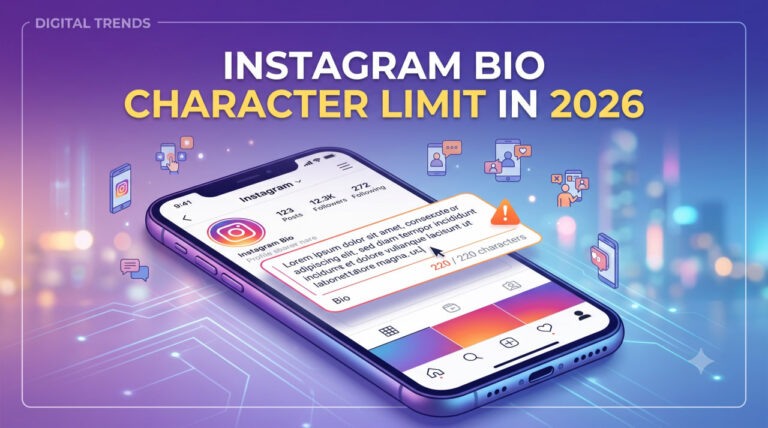
You cannot exceed 150 characters in your bio. This includes letters, spaces, numbers, emojis, and symbols, meaning every single character counts.
The Instagram bio restrictions exist for a reason:
- To keep profiles clean and visually appealing
- To ensure readability for visitors
- To allow users to quickly scan and understand your Instagram profile information
Other Instagram bio text limits and formatting rules also apply, such as: line breaks, emojis, and clickable links. These limitations reinforce concise communication and effective profile optimization.
| Element | Limit | Notes |
| Instagram bio | 150 characters | Includes letters, spaces, emojis & symbols; cannot be extended beyond this. |
| Instagram captions | 2,200 characters | Only ~125 characters show before “more” in feed. |
| Instagram comments | 2,200 characters | Full length for standard comments. |
| Instagram username | 30 characters | Use letters and numbers. and _. |
| Instagram profile name | 30 characters | Searchable field separate from username. |
| Direct messages | 2,000 characters | Most tools and tests show 1,000 per message. |
| Hashtags per post | Up to 30 hashtags | Max recommended: use relevant ones. |
| Story text overlay | No fixed limit (varies) | Visible text per screen area is effectively limited by readability. |
| Clicks/links in bio | 1 standard link (more for Meta Verified) | Verified or high‑follower accounts may have multiple links. |
| Reels caption | 2,200 characters | Same as standard captions. |
| Carousel posts | 2,200 characters (per post) | Applies across all slides combined. |
| Mentions per post | Up to 20 accounts | Tagging users in posts. |
| Story hashtags (per Story) | Up to 10 hashtags | Stories support hashtags visible on the image. |
Understanding these limits helps you write an effective Instagram profile bio, manage Instagram bio text length, and optimize your bio writing on Instagram for clarity and impact.
By keeping these restrictions in mind, you can ensure that your Instagram profile arrangement looks professional while staying within the rules.
Read more: You must have wondered if your bio and profile information are visible to others when your Instagram account is private. The “Can people see your Instagram bio if your account is private?” article will explain everything from audience visibility to private account settings
How to Make Your Instagram Bio Look Longer and More Effective?
Even with the strict Instagram bio character limit, you can make your bio look longer, more engaging, and highly effective by combining creative strategies, smart formatting, and content optimization.
Here’s a complete guide to getting the most out of your Instagram profile data while staying within the 150-character restriction:
1. Combine a Short Bio with Strong CTAs
Use concise sentences paired with call-to-action phrases like “Check my portfolio”, “Visit my website”, or “Shop now”. This encourages interaction while keeping your bio text on Instagram short, readable, and impactful.
Using CTAs strategically makes your Instagram profile description feel more informative and guides followers to take action.
2. Use Smart Links (“Link in Bio”)
Add a smart link such as Linktree or your personal website in your bio to direct followers to a page with detailed content, services, products, portfolio, or resume.
This transforms a short bio into a gateway for extended content, allowing followers to access far more information than the 150-character Instagram bio limit permits. This is one of the most effective ways to optimize your Instagram profile setup.
Read more: Do you want your Instagram bio to be multi-line and attractive to look more professional? Learn “how to make your Instagram bio have multiple lines?”
3. Leverage Story Highlights
Organize your Story Highlights into clear categories that showcase the details of your brand, personality, or work.
Highlights act as an extension of your bio, creating a “longer bio experience” without altering the actual text. This improves Instagram profile layout, ensures profile information is easy to navigate, and gives followers additional context about your account.
4. Pin Important Posts
Pin posts on your profile that contain comprehensive information about your brand, products, or services. Reference these pinned posts in your bio to guide followers toward additional content.
This approach enhances your Instagram account description and allows your profile to appear more informative while staying within the Instagram bio character limit.
5. Profile Name Optimization
The Profile Name field on Instagram allows up to 30 characters, separate from your bio. By strategically incorporating keywords or key phrases here, you can immediately convey the most important information about yourself or your brand.
For example, a designer might include “UX/UI Designer,” or a business could include its primary service. Combined with a concise bio, this technique effectively communicates more upfront, maximizes the Instagram bio space, and strengthens profile branding on Instagram.
This small field can significantly improve discoverability and help followers understand your niche instantly.
Read more: Want to know why the “See Translation” option appears under your Instagram bio? All the reasons and solutions are here “Why does my Instagram bio have see translation?”
6. Use Emojis Strategically
Emojis are more than just decoration; they are a powerful tool for saving space and emphasizing key points. Instead of writing “camera” or “coffee,” you can use emojis of them.
Emojis make your Instagram bio 150 characters visually engaging, help break up long lines, and add personality to your profile.
When used thoughtfully, they guide the viewer’s eyes to important information, making your bio memorable and easy to scan without increasing the Instagram bio character count.
7. Structure Your Bio for Readability
A well-structured bio is essential for effective Instagram profile optimization. Break your bio into clear lines, bullet points, or small sections instead of a single dense paragraph.
Proper formatting improves Instagram bio formatting, enhances the Instagram profile design, and ensures followers can quickly scan and understand your value.
For instance, separate your profession, interests, and CTA into different lines. This method increases readability, makes your bio look organized, and allows followers to immediately grasp what your profile is about.
By combining these tactics, you can:
- Make your Instagram profile explanation feels much longer than it actually is.
- Communicate maximum information while respecting Instagram profile bio limits.
- Improve engagement and guide followers to take action.
- Keep your profile professional, clean, and visually appealing.
Read more: Are you curious about tagging someone in your Instagram bio, they will notice or not? All tips are gathered in the “Does tagging someone on Instagram bio notify them?” article for you.
Conclusion
The Instagram bio character limit is fixed at 150 characters, so unlimited text isn’t possible. However, by using links, Story Highlights, pinned posts, and strategic Profile Name optimization, you can effectively convey more content.
Applying these tactics allows your Instagram profile explanation to feel more complete while staying within the rules.
How many Instagram bio characters does your profile currently have? Try counting! Which workaround do you find most useful for a longer bio experience? Now, rewrite your Instagram bio and see how these strategies improve your profile!