Can you download someone’s Instagram reels
Yes, if the account is public — here’s how:
Practical Methods to Download Instagram Reels
Whether you want to download Reels for offline viewing, sharing, or backup, there are several safe and efficient methods to do so. Below, we’ll explore the main ways you can save Reels, from Instagram’s own features to third-party tools and screen recording techniques.
1. Using Trusted Instagram Reel Downloader Websites
If you want to save Instagram Reels from public accounts without using the app, several reliable websites make the process simple and fast.
- Open the Instagram app and go through the Reels you want to save.
- Now copy the URL of the Reel.
- Open one of the trusted online tools below.
- Paste the link and select the download options to save Instagram video reels HD to your device.
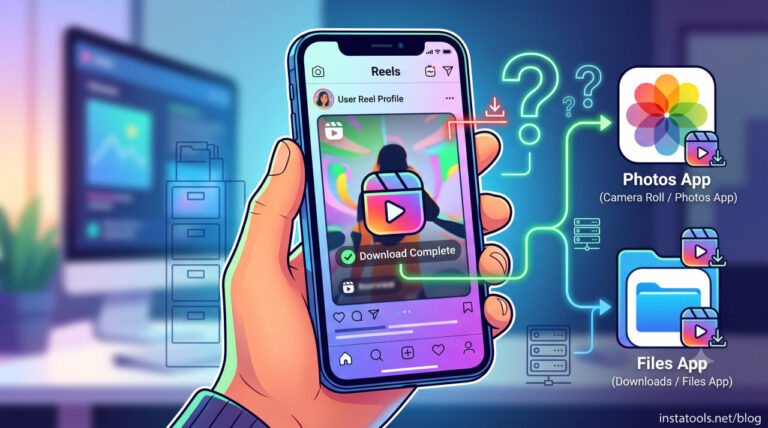
Read more: Have you ever wondered where exactly your downloaded Reels go on an iPhone? Your answer is in our article by details.
Recommended Instagram Reel Downloader Websites
- InstaTools Reels Downloader: A web platform for downloading reels from public profiles in HD quality. Supports pasting URLs and saving videos directly to your device. Perfect for downloading reels from Instagram desktop and mobile users.
- Inflact: A well‑known downloader that lets you paste a Reel URL and save videos in original quality. No login is required, perfect for casual users or content creators.
- SaveGram: An online platform that allows you to save Instagram clips directly through your browser. Works across multiple devices without installing any software.
- SaveInsta: A reliable website for downloading in Full HD. Simply paste the Reel link and download Instagram reels online using the link.
- SaveClip: A versatile Instagram content downloader for PC, Mac, Android, and iPhone. Paste the link to save the video in high quality easily.
- PostPlanify: A free web IG content save tool to download IG Reels without login or watermark. Suitable for content creators and social media managers.
- SnapInsta:an online Instagram downloader, developed with the purpose of helping Instagram users download Instagram photos and videos to their phones and computers easily without any problems What.
Features and benefits of Reels Downloader Websites:
- Works on any device with a browser, including smartphones, tablets, and desktops.
- Supports Instagram reels download in high quality, keeping the original video and audio intact.
- Most platforms allow free Instagram reels downloads without creating an account.
- Simple copy-paste method to download Instagram reels using the link paste, suitable for beginners and advanced users.
- Quick downloads with minimal delay make it efficient for both casual users and professionals.
- Many tools allow downloading with sound, preserving the full experience of the original Reel.
- Ideal for Instagram reel offline viewing, Instagram reel backup, content creation, or sharing responsibly.
Read more: If you’re having trouble saving Reels to your iPhone camera roll, find the answer in this article: Why can’t I save an Instagram reel to a camera roll?
2. Third-Party Instagram Reels Downloader Tools
For Reels from public accounts, a third‑party Instagram reels downloader provides a quick and reliable way to save Instagram Reels. These tools allow you to access and download Instagram Reels in high quality without relying on the app itself.
Here’s how it works and why it’s useful:
- Copy the Instagram reel link.
- Paste the link into a trusted downloader tool or website.
- Select download options (HD quality, sound, format) and save the Instagram Reel to the device.
Features and benefits:
- Supports Instagram reels download with sound for a complete experience.
- Quick and convenient for marketers, content creators, and enthusiasts.
- Works for multiple Reels from public profiles.
- Many tools allow free Instagram reels download without logging in.
- Note: Always respect creator rights and avoid sharing content without permission.
3. Screen Recording Method
When other methods for Instagram Reel downloader aren’t available, the Instagram Reel screen record method offers a dependable solution. It allows you to save Instagram Reels directly on your device, ensuring you can save any Reel you need.
This method works even for private Reels with permission, making it a versatile backup option. After recording, you can trim and organize your videos to maintain a complete offline library of your favourite Reels.
For iPhone:
- Open the Reel you want to save.
- Swipe to access the Control Center and tap the Screen Record button.
- Record the Reel, then stop when finished.
- Trim the video in the Photos app and save it to your preferred folder.
For Android:
- Open the Reel you want to save.
- Swipe down to access Quick Settings and tap Screen Recorder (or use a pre-installed recording app).
- Record the Reel and stop when done.
- Trim and save the video in your Gallery or preferred folder.
Features and benefits:
- Works even for private Reels with permission.
- Acts as a backup when other download tools fail.
- Allows Instagram video capture for offline viewing anytime.
- Compatible across smartphones, tablets, and desktops.
Read more: Want to know if someone can tell if they took a screenshot of your story or post? This is an important question for many users.
Legal and Ethical Considerations for Downloading Instagram Reels
When you want to download Reels on Instagram, it’s important to follow rules and respect creators’ rights. Keep these key points in mind:
- Download private Instagram reels (with permission) only after getting consent from the content creator.
- Avoid downloading someone else’s Instagram Reel without permission, as it may breach Instagram’s terms or copyright laws.
- For public content, always provide credit when you repost Instagram reels to respect the creator’s work.
- Use official features, when possible, like the Instagram feature reels download allowed, to stay within Instagram’s guidelines.
- Consider privacy and sharing options carefully; check Instagram reel sharing options before distributing content externally.
- Protect and organize your saved content ethically, avoiding unauthorized redistribution.
Conclusion
Downloading Instagram Reels has never been easier with the variety of built-in features, third-party tools, and online platforms available today. Whether you want to download Instagram Reels for offline viewing, backup, or sharing responsibly, there’s a safe and efficient method for everyone.
By choosing the right tools and respecting creators’ rights, you can enjoy your favorite Reels anytime, anywhere.